Photo Swipe Cleaner
Photo Swipe Cleaner: Clean Up Your Gallery
Review your gallery manually and keep the photos that matter


Features
A Mindful Way to Clean Your Photo Gallery
Swipe to sort photos with confidence — speed and security in one app.
The Mindful Swipe
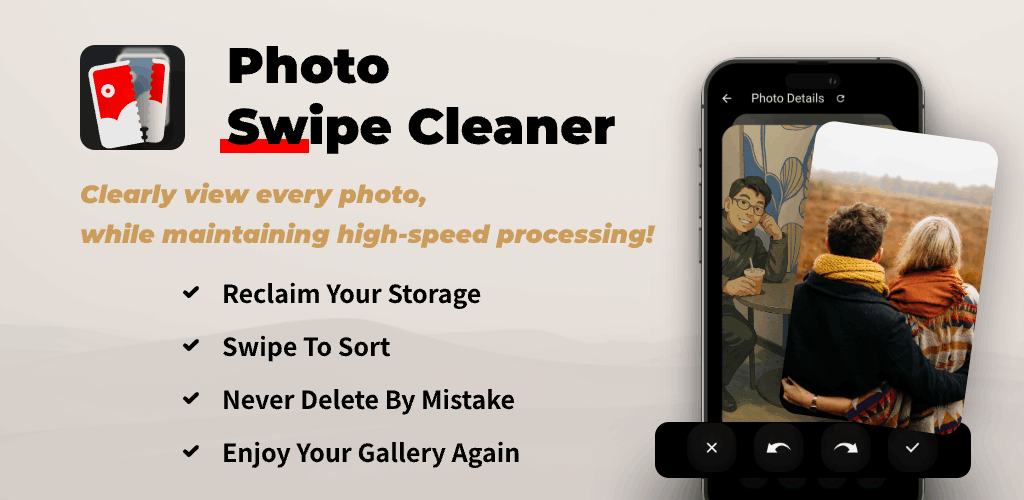
Swipe left to delete, swipe right to keep. A calm, fast way to declutter your camera roll without decision fatigue.
Review Before Deleting
Check your selections and keep a backup before deleting important pictures. No cleanup tool can guarantee recovery after permanent deletion.
Spot & Delete Duplicates
Compare similar-looking photos yourself in the preview. This is manual review, not an automatic duplicate scan.
Free Up Storage Fast
Remove unwanted photos from your gallery. Space recovered depends on the files you delete and the photo service’s retention settings.
Rediscover Joy, Not Just Space
Reconnect with your memories as you sort — keep what matters, remove the rest.
100% Ad-Free
A calm, focused experience with no ads or interruptions while you sort.
Perfect For
Feeling overwhelmed by your gallery
Calmly sort photos without pressure. Keep what matters, remove the rest.
Organizing albums, but not sure where to start
A simple, guided flow to organize and declutter albums with confidence.
Parents who need more storage
Save every precious moment while freeing up space for new ones.
Afraid to lose important pictures
Back up important pictures and review your selections. Do not rely on an undo action as a substitute for a backup.

Tools & Optimizations
Review Photos to Free Up Storage
Choose unwanted photos for deletion. Photo Swipe Cleaner is a gallery review tool, not a system cache cleaner or a general phone optimizer.
Duplicate & Similar Photos
Inspect duplicate and similar-looking pictures yourself, then decide which to keep. Automatic detection is not promised.
Camera Roll Sorter
Clean the camera roll and organize albums. A smart picture sorter for gallery cleanup — swipe left to delete, swipe right to keep, swipe up to view details.
Understand Deletion and Recovery
Check the confirmation screen and your device’s Recently Deleted or trash options. Cloud photo services can sync deletions to other devices. Permanent deletion may be irreversible.

Frequently Asked Questions
What is Photo Swipe Cleaner?
A mindful gallery cleaner that helps you declutter photos with a clear swipe interface and a safety net for mistakes.
Is deleting safe?
Review your selections before confirming deletion and keep a separate backup of important photos. Recovery depends on the app version and your device’s photo service; permanent deletion may not be reversible.
Can it help with duplicate photos?
Yes. A large preview design makes it easy to spot and delete duplicate and similar-looking images yourself.
How do swipe controls work?
Swipe left to delete, swipe right to keep, and swipe up to view details. Simple gestures to clean your camera roll and photo gallery.
Does it support iPhone and Android?
Yes. It works with the Photos app and gallery on both platforms, helping you free up storage on your phone.
Is the core experience free?
Yes. Core features are free and ad-free. Future premium options may be offered via in-app purchases or subscription.
How can I get support?
Email [email protected] with your app name, platform and version for faster help.
Download Photo Swipe Cleaner and clean your gallery with confidence.
Review photos, compare similar shots yourself and check your selections before deleting.
Learn more about Photo Swipe Cleaner
Read the developer’s account of the choices behind this app.