Flip Timer
Flip Timer: Motion-Controlled Countdown
Gym, Study & Work — flip to start, no screen touching


Features
A Timer That Moves With You
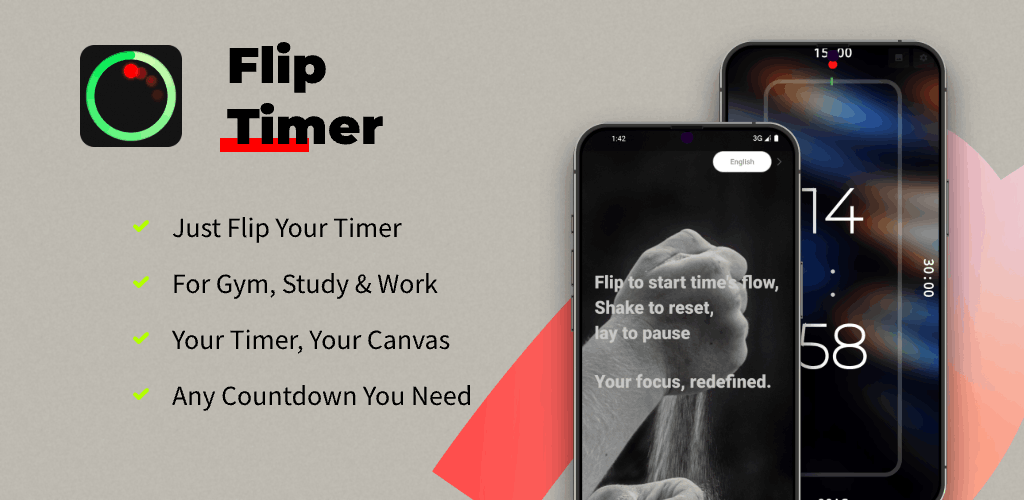
Gesture control for real life — flip to start, lay flat to pause, shake to reset.
Gesture Control
Flip your phone to one of its four sides to start a preset countdown — a 5 minute timer for meditation or a 45 minute timer for a full workout.
Intuitive & Fast
Lay your phone flat to pause; shake to reset. The fastest way to manage time during gym sessions, study blocks or kitchen prep.
Interval Timer for HIIT & Tabata
Switch between high-intensity and rest without touching your screen. A reliable interval timer and WOD clock for any exercise routine.
Pomodoro for Study & Work
Use preset timers for focused work or study sessions. A dependable pomodoro application for students and professionals.
Kitchen Companion
The ideal kitchen timer when your hands are covered in flour — a simple egg timer for boiling eggs or managing multiple pots.
Large, Clear Display
A big, easy-to-read display with a visual progress bar and seconds — glance from across the room and stay in flow.
Time Exercise and Rest
HIIT & Tabata
Time a work or rest period with a countdown. Confirm how to start the next period before using it during exercise.
CrossFit & WOD Clock
Use a countdown for a time-boxed exercise. Reposition the phone only when it is safe to do so.
Any Exercise Routine
From yoga stretches to circuit training, a versatile workout timer for the gym — rest 30 seconds or push a tough 2 minute set.

More Than Just a Fitness Timer
Kitchen Companion
The ideal kitchen timer when your hands are covered in flour. A simple egg timer for boiling eggs or managing multiple pots.
Pomodoro for Study & Work
Use preset timers for focused work or study sessions. A reliable pomodoro application for students and professionals.

Set Up Motion-Controlled Timing
Choose Your Durations
Choose the countdowns you need before starting your activity. Check the app’s current settings for available durations and gesture controls.
Check the Orientation
Try the phone orientations while you can watch the screen. Confirm the intended countdown starts before relying on it during a task.
Keep Your Phone Secure
Motion control means handling or repositioning the phone, not operating without contact. Keep it on a stable surface away from heat and liquids.

Clock & Countdown Modes
Stopwatch
Works as a simple stopwatch alongside countdown. Stop stopwatch instantly by laying the phone flat — fast and intuitive.
Countdown Clock
A reliable countdown timer for circuits, classroom, or any time-boxed routine.
Alarm-Style Sessions
Need an alarm set for 30 minutes? Just flip to the 30 minute preset — clear sound cues, clear finish.

Our Commitment
Check Current Store Details
Review the current store listing for pricing, purchases and availability on your device before installing.
Built for Daily Life
Our aim is a simple timer for gym, kitchen, study and work.

Policy & Support
In-App Purchases & Future Subscriptions
Support development via one-time feature packs. We may introduce a simple, fair subscription to unlock premium features in the future.
Pricing
Feature packs range from $2.99 to $5.99. Final prices follow real-time App Store pricing in your region.
Payment
After purchase confirmation, payment is charged to your iTunes Account.
Subscription Management
When subscriptions become available, manage them in your Apple ID Account Settings at least 24 hours before period end.
Renewal Rules
Subscriptions auto-renew unless canceled. We strictly follow Apple's App Store policies.
Privacy Policy
User & Member Subscription Agreement
Support
Questions or ideas? Email [email protected]. We would love to hear from you.
Frequently Asked Questions
How do flip gestures work?
Flip the phone to start a preset timer. Lay it flat to pause; shake to reset. Check the gesture settings in your installed version before starting a task.
Do I still need to handle the phone?
Yes. Motion control avoids screen taps, but you still handle or reposition the phone. Keep it secure, clean and away from heat or liquids.
Does it support HIIT, Tabata and WOD?
You can time individual exercise and rest periods. Check your installed version for interval settings; do not assume it runs an automatic multi-round HIIT or Tabata sequence.
Can I use it for Pomodoro study and work?
Absolutely. Preset durations make it a simple pomodoro timer for focused work and study routines.
Does it show seconds and support a stopwatch?
Yes. You get a large clock with seconds and a simple stopwatch alongside countdown — easy to see from a distance.
How can I get support?
Email [email protected] with your app name, platform and version for faster help.
Download Flip Timer and change the way you time, forever.
Hands-free multi-timer for gym, study and work. Flip to start.
Learn more about Flip Timer
Read the developer’s account of the choices behind this app.